Bell Box
Get the most out of your SimpliSafe system by getting answers to your questions and support for your devices.
Conversation List
Filter by
Testing the Bell Box
Test Mode is a great way to test the connection between your Base Station and other SimpliSafe® products. We recommend periodically placing your system into Test Mode to ensure that your devices are still communicating with the Base Station without any errors.
Placing Your System Into Test Mode
Disarm your system by pressing OFF on the Keypad
Press the Menu button on your Keypad
Enter your Primary PIN
Scroll until Test Mode is highlighted
Use the right arrow key to enter Test Mode
You’ll know you are in Test Mode when you see a circle on the Keypad appear with the text, “Test each device by pressing its button”.
Note: If you subscribe to monitoring, you will receive a robo call from the monitoring centre asking you to confirm you placed your system into Test Mode. If you do not answer – no worries! It will not result in a request for dispatch.
Testing the Bell Box
To test the Bell Box, remove the Bell Box of its bracket then quickly press and release the button within the battery compartment. You’ll hear the Base Station announce, “Bell Box” to confirm the test was successful.
NOTE: The Bell Box will also emit a quiet beep during this test. Please be sure to protect your ears incase of a real alarm, as the Bell Box is equipped with a 105dB siren.
Troubleshooting the Bell Box
If you are testing your Bell Box and do not hear the Base Station announce, “Bell Box”, the first thing you’ll want to do is confirm you can hear the Base Station from the location you’re testing in. You can adjust the Base Station’s volume under the Base Station Settings menu, by selecting Voice Prompts.
As a next step, you’ll want to confirm that the Bell Box battery is functioning. The Bell Box takes 4 x CR123A lithium batteries and has a life expectancy of up to 1 year depending on placement and usage.
If you are still unable to hear the Base Station announce, “Bell Box” it’s possible that there could be an issue with the location of the Base Station, or there is Radio Frequency (RF) interference at play.
Other electronic devices within your home may communicate on similar frequencies, resulting in wireless interference between your SimpliSafe® devices. Because of this, we recommend keeping your Base Station and Bell Box at least 3-5 feet away from the following devices:
Wi-Fi Routers
Large TVs
Weather Stations
Large Appliances (especially in the kitchen and laundry rooms)
Baby monitors
Remote Controlled Garage Door Openers
LED Lights or Christmas Lights
This above list is to give you an idea of what devices may cause interference within your home, and is in no means an exhaustive list of all devices. There may be other devices that output RF or Wi-Fi signals that could impede the connection between your Base Station and SimpliSafe® devices
Help Center Article
•
Bell Box
Bell Box Not Responding
If you receive the warning “Bell Box Not Responding” it’s possible that it could be the result of low batteries, or a weak connection between the device and Base Station.
Checking the Batteries
As a first step, we recommend ensuring that the batteries are correctly installed.
Slide the Bell Box up and off it’s bracket.
This may require gentle force to get it to slide upwards.
Open the back panel to reveal the four (4) CR123A lithium batteries.
Remove a single battery from the Bell Box
Wait at least 15 seconds, then reinstall the battery
Now, you’ll want to test the Bell Box by placing your system into Test Mode using the Keypad
Menu > Enter Master PIN > Test Mode
You’ll know you’re in Test Mode when the Base Station announces it. You may also check the timeline within the SimpliSafe® Mobile App for a “User Initiated Test” event.
Press and release the test button inside the battery compartment of the Bell Box
NOTE: If you press this button for too long it may emit a quiet chirp. Be sure to protect your ears while testing this device.
You should hear the Base Station announce “Bell Box” and see a timeline event within the SimpliSafe® Mobile App that reads “Bell Box Test”
If you do not hear the Base Station respond or see a timeline event for this test, it is likely the batteries for your Bell Box need to be replaced.
Checking the Placement of Your Bell Box and Base Station
If you have replaced the battery and are still encountering the ‘Not Responding’ error, it likely is the result of a weak connection to the Base Station. A weak connection to the Base Station can often be caused by something environmental, like brick walls or dense home construction.
To test this, temporarily move the Bell Box closer to the Base Station and see if the error stops. If the device does work in a new location, it is likely the result of the environment near the prior location that is causing the conflict. You’ll have two options from here; Keep the Bell Box in its’ new location closer to the Base Station, or try to identify and clear the interference in the devices existing location. If you choose to keep the Bell Box in the location where it has encountered the error, you’ll want to look for environmental factors, such as dense building materials, or wireless devices that are nearby that could be interfering with the RF signal between the Bell Box and the Base Station. If you have any devices that output a wireless signal, we recommend trying to keep them at least 3-5 feet away from your siren. That should help to clear up communication between the device and the Base Station.
Help Center Article
•
Bell Box
Bell Box Offline
If your Bell Box is showing as offline on the SimpliSafe® Mobile app, this is an indicator that the battery within the device needs to be replaced.
The Bell Box takes four (4) CR123A lithium batteries, and has a life expectancy of up to 1 year depending on placement and usage.
To change your Bell Box batteries, slide the device up and off its bracket. Then, flip the back panel to reveal and replace the four (4) CR123A lithium batteries underneath.
Please note that the error may take up to 24 hours to clear from the SimpliSafe® Mobile App after taking these steps. If you want to bypass that timeframe, there are two steps you can take to remove the error from the SimpliSafe® App.
First, place your system into Test Mode and test the sensor to re-establish a connection.
To place your system into Test Mode:
Using your Keypad go to Menu > Enter Primary PIN > Test Mode
Press and release the test button on the top of the Bell Box. The Base Station should announce “Bell Box” and the timeline on the SimpliSafe® App should show “Bell Box Test”.
If you have monitoring, you will also receive a robo call from the monitoring centre asking you to confirm you placed your system into Test Mode. If you do not answer this call, no worries! Dispatch will not take place.
NOTE: If you press and hold the button on the Bell Box for too long it may emit a quite siren from its 105dB siren. Please protect your ears when testing this device.
If the Test Mode step does not work, it’s possible that your Bell Box has been offline for too long. The best step would be to remove the sensor from the SimpliSafe® App and then add it back to your system.
To remove your Bell Box:
Open the SimpliSafe® mobile app on your phone or tablet
Choose My System from the bottom navigation bar
Select Device Settings
Tap on the Bell Box you wish to remove
Choose ‘Remove Device’
Once you have removed your device, you can add it back using our Installation Guide.
Help Center Article
•
Bell Box
Bell Box Installation Guide
Overview
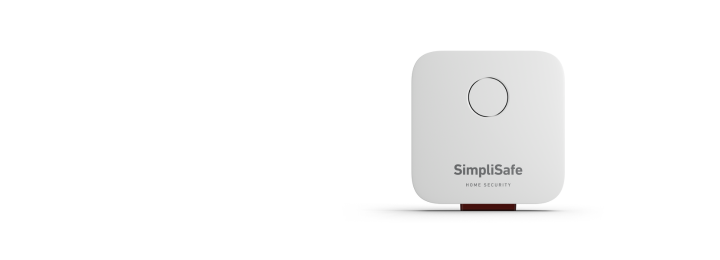
Your Bell Box has an alarm built-in that sirens at a whopping 105dB, so it's sure to get the attention of any uninvited guests. The SimpliSafe Bell Box is designed to be installed outside-works in snow or rain from -25°C to 60°C. It also contains a large LED light that flashes red during an alarm, warning intruders and signals neighbours.
Need to purchase a Bell Box? You can find it available for purchase on our website.
Before Getting Started
Before installing the Extra Siren, make sure that you have installed your Base Station.
What’s in the Box
Bell Box with mounting plate
Screws
Installation
Firstly, ensure that your Base Station is up to date with the latest firmware, and the SimpliSafe Mobile App is the latest version.
You will need to pair your Bell Box to the system before you physically install it.
Open the SimpliSafe® Mobile App on your smartphone or tablet
Navigate to the three-bar icon in the upper left corner
Select Add Device or Camera
Select Bell Box from the list of products
Pull out the battery tab and then press and release the button found inside the battery compartment.
Next, choose a name for your Bell Box using one of the pre-selected names, or create your own custom name by selecting Custom Name
Note: device names need to be 14 characters or less
If the LED is blinking, then your Bell Box is ready to go.
Now you are ready to install the Bell Box onto your home.
1. Remove the Mounting Plate from the back of your Bell Box by firmly pushing the plate down towards the LED light
2. Using the Mounting Plate as a guide, mark where you will need to drill holes on the desired flat surface
If the wall is uneven, use the asymmetrically placed screw holes to wiggle the mounting plate into a levelled position and secure the screws very tightly to the surface
3. Drill two holes into the desired flat surface
If using wall anchors, be sure that you are using a 7 mm drill bit to create pilot holes for the wall anchors and screws included in your bell box package
If you are not installing on a brick, stucco, or stone exterior, then you can set aside the wall anchors and use a slightly smaller drill bit to secure the screws and bracket to your home
4. Screw the Mounting Plate into place
Troubleshooting
Related Articles
Help Center Article
•
Bell Box
How to Change the Bell Box's Volume
Your Bell Box is equipped with a whopping 105dB siren. The flashing red LED light warns intruders and signals neighbours so it's sure to get the attention of any uninvited guests.
You can adjust the various volume levels within the SimpliSafe® Mobile App.
SimpliSafe® Mobile App Steps:
Open the SimpliSafe® Mobile app on your phone or tablet
Navigate to My System from the bottom navigation bar
Select Device Settings
Tap on your Bell Box
Adjust the various volume settings, as needed
Select Save or Send to Base to save your selections
Related Articles:
Help Center Article
•
Bell Box
How To Replace Bell Box Batteries
The bell Box takes four (4) CR123A lithium batteries and has a life expectancy of up to 1 year depending on placement and usage.
To change your Bell Box batteries, slide the device up and off its bracket. Then, flip the back panel to reveal and replace the four (4) CR123A lithium batteries underneath.
Help Center Article
•
Bell Box
