Conversation List
Key Fob Not Responding To Button Presses
Your Key Fob is designed to arm or disarm your system with a quick press of a button. If you find that it’s not responding to button presses, there are two main reasons this could happen:
Key Fob Experiencing Interference or is Out of Range
If the Key Fob is not responding to button presses, the first thing you’ll want to rule out is both physical and wireless interference. Dense building material or wireless electronics can decrease the range of the Key Fob when it tries to send an arm or disarm signal to the Base Station.
For example, you may have trouble arming or disarming your system if you are sitting in a driveway outside of your home, or within the garage of your home.
You can test if this is the issue by bringing the Key Fob closer to the Base Station and pressing the OFF button.
If the Base Station Says “Alarm Off”, Follow These Steps:
This indicates that the Key Fob does work as expected at a shorter range. We recommend stepping about 10 feet away from the Base Station and try pressing the OFF button on the Key Fob again. If you continue to hear the Base Station say “Alarm Off” each time, you’ll want to continue to increase the range between you and the Base Station while repeating the process of pressing the OFF button.
If you find that the Key Fob isn’t working in the location you want it to, but it is functional at a shorter range, you may want to try moving the Base Station to a more central location of your home to provide better coverage.
If the Base Station Does Not Say “Alarm Off”:
This is an indicator that the battery in the Key Fob may be low or dead. Use the next section below to learn more about the Key Fob battery.
Key Fob Battery Is Low or Dead
The battery within the Key Fob cannot be replaced. However, we anticipate it lasting up to 5 years, depending on usage.
If you need to replace the battery in your Key Fob, please contact our Support team for additional assistance.
Help Center Article
•
Key Fob
How To Replace Key Fob Battery
The battery within the Key Fob cannot be replaced. However, we anticipate it lasting up to 5 years, depending on usage.
If you need to replace your battery, please contact customer support for additional assistance.
Help Center Article
•
Key Fob
Key Fob Installation Guide
Overview
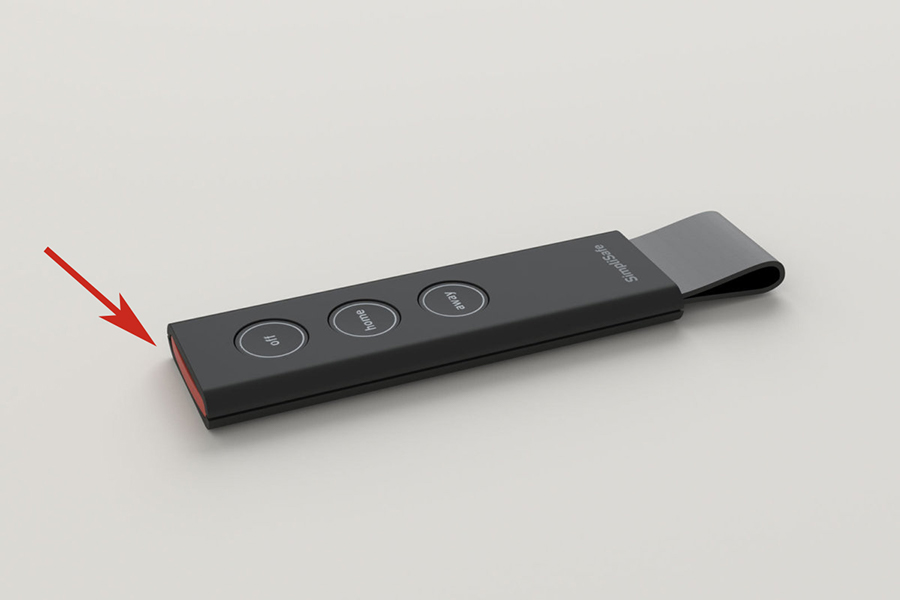
Our Key Fob works just like a car’s - with just a press of a button you can arm or disarm your entire SimpliSafe® system from up to 30’ away! And if you’re subscribed to a professional monitoring plan, you can use the Key Fob’s red Panic Button to alert our monitoring centre immediately if there’s an emergency.
Need to purchase a Key Fob? You can find it available for purchase on our website.
Before Getting Started
Before setting up your Key Fob, you will need to install your Base Station.
We recommend putting the Key Fob on a keychain you carry, so that you can use it as a remote method of arming and disarming your system.
Key Fob Customisations
With professional monitoring, the Key Fob has a Panic Button with customisable options for disabled, fire, or sound alarm settings. Below are the steps to customise these settings.
Press Menu and enter your Master PIN.
Navigate to “Devices”.
Select the Key Fob you wish to modify.
Scroll down and select Panic Alarm.
You can choose between “Panic - audible”, “Fire”, and “Disabled”.
Once you have decided who you want your Key Fob panic button to alert, make sure the selection is highlighted, and click “Set”.
Repeat steps 2-6 if you want to change the function of the panic button on all of your Key Fobs.
In case of an emergency, hold down the red panic button on your Key Fob for 2 seconds and then release. The proper authorities will be notified*.
*The monitoring alert is only available if you are subscribed to a professional monitoring plan.Troubleshooting
Related Articles
The battery in the Key Fob is not replaceable. Should you require assistance with a Key Fob that is no longer operable, please contact our Support team.
Help Center Article
•
Key Fob